This integration is for the Respan gateway.
With this integration, your LLM requests will go through the Respan gateway, and the requests will be automatically logged to Respan.

1. Get Respan API key

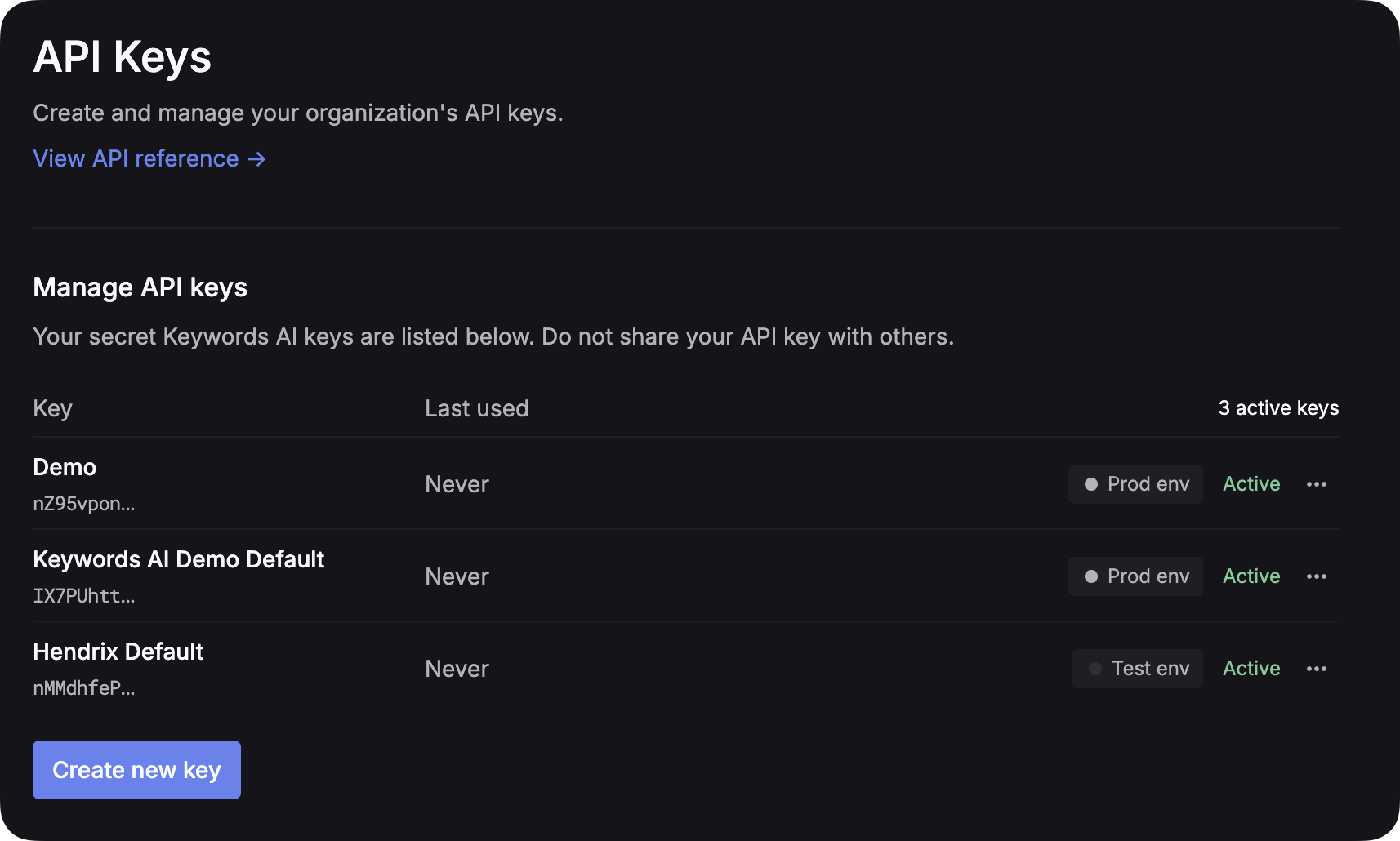
After you create an account on Respan, you can get your API key from the API keys page. Create API key placeholder
2. Add provider credentials

You have to add your own credentials to activate AI gateway otherwise your LLM calls will cause errors. We will use your credentials to call LLMs on your behalf. We won’t use your credentials for any other purposes and no extra charges will be applied. Go to the Providers page to add your credentials.
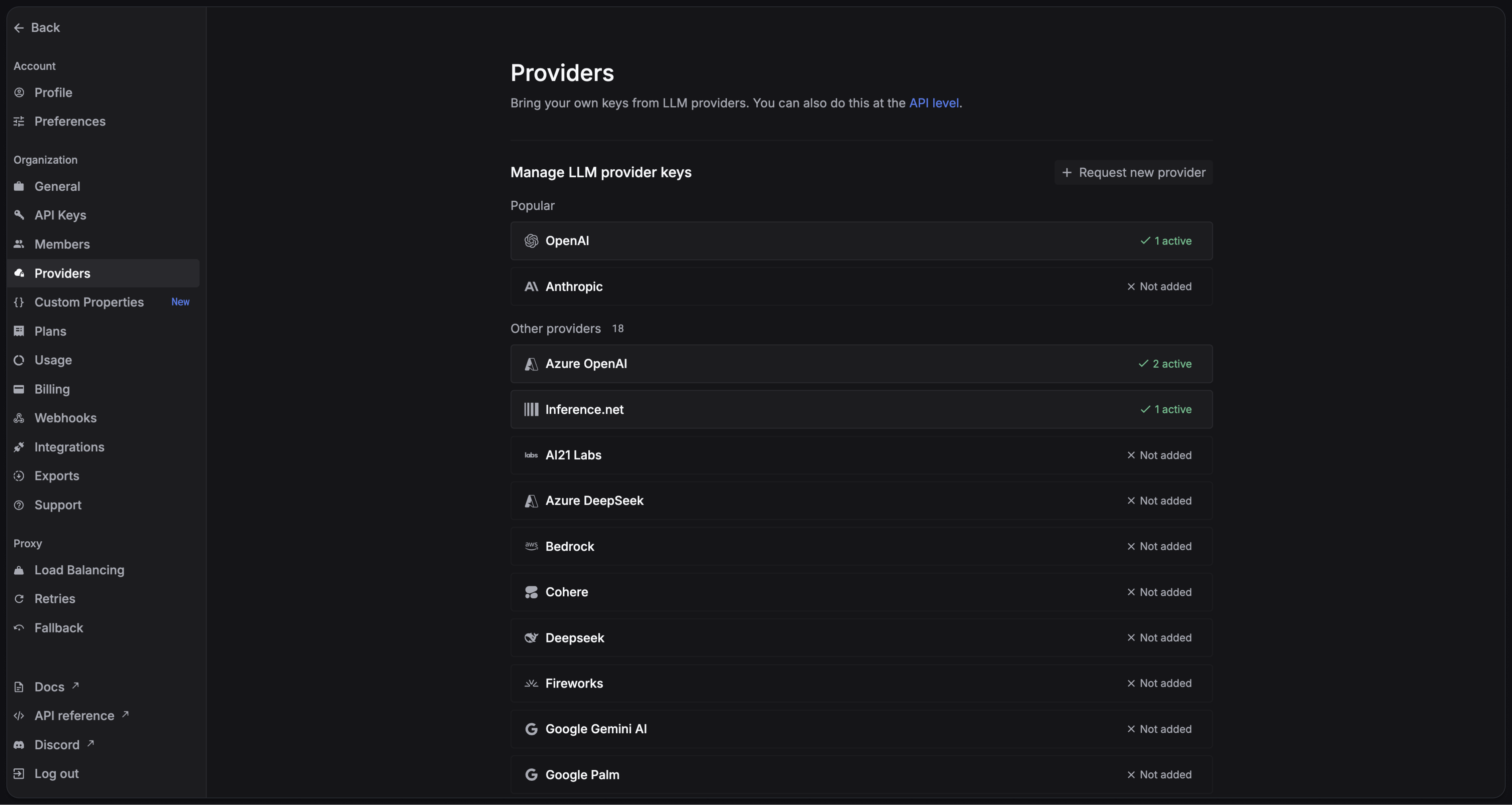
Providers page
Learn how to add credentials to a specific provider here.

3. Compatibility at a glance

SDK helperWorks via Respan?Switch models?
@ai-sdk/openai✅ Yes✅ Yes
@ai-sdk/anthropic✅ Yes (Anthropic models only)❌ No
@ai-sdk/google✅ Yes✅ Yes

4. Integrate Respan gateway

Here’s an example of how to use the Vercel AI SDK with OpenAI:
import { createOpenAI, OpenAIProvider } from '@ai-sdk/openai'
import { streamText, streamObject } from 'ai'

async function main() {
  // Initialize OpenAI with Respan gateways
  const client: OpenAIProvider = createOpenAI({
    baseURL: 'https://api.respan.ai',
    apiKey: 'YOUR_RESPAN_API_KEY',
    compatibility: 'strict',
  })


  const requestParamsDefault: Parameters<typeof streamText>[0] = {
    model: client.chat('gpt-3.5-turbo'),
    messages: [
      {
        role: 'user',
        content: 'Hello! How are you doing today?',
      },
    ],
    temperature: 0.5,
  }

  try {
    console.log('Calling OpenAI with Respan proxy...')

    const { textStream: proxyTextStream } = await streamText(requestParamsDefault)
    for await (const textPart of proxyTextStream) {
      console.log('Respan Proxy Response:', textPart)
    }
  } catch (error) {
    console.error('Error:', error)
  }
}

main()
Here is an example of using the Vercel AI SDK with response API.
TypeScript
import { streamText, streamObject, generateText, tool } from "ai";
import { createOpenAI, openai } from "@ai-sdk/openai";
import { z } from "zod";

// Respan parameters to be sent in the header
const respanHeaderContent = {
    "customer_identifier": "test_customer_identifier_from_header"
}
const encoded = Buffer.from(JSON.stringify(respanHeaderContent)).toString('base64');

const client = createOpenAI({
  headers: {
    "X-Data-Respan-Params": encoded
  },
  baseURL: "https://api.respan.ai/api",
  apiKey: process.env.RESPAN_API_KEY,
});

const result = await generateText({
  model: client.responses('gpt-4o-mini'),
  prompt: 'What happened in San Francisco last week?',
  tools: {
    web_search_preview: client.tools.webSearchPreview({
      searchContextSize: 'high',
      userLocation: {
        type: 'approximate',
        city: 'San Francisco',
        region: 'California',
      },
    }),
  },
});

console.log(result.text);
console.log(result.sources);
You can find the full source code for this example on GitHub: TypeScript Example

5. Add Respan parameters

Adding Respan parameters to the Vercel AI SDK is different than other frameworks. Here is an example of how to do it:
1

Specify Respan params in an object

You should create an object with the Respan parameters you want to use. Add parameters you want to use as keys in the object.
const respanHeaderContent = {
    "customer_params": {
        "customer_identifier": "customer_123",
        "name": "Hendrix Liu", //optional
        "email": "[email protected]" //optional
    }
    // "cache_enabled": true or other parameters
}
2

Encode the object as a string

You should encode the object as a string and then you can send it as a header in your request.
const encoded = Buffer.from(JSON.stringify(respanHeaderContent)).toString('base64');
3

Add the header to your request

You should send it in the X-Data-Respan-Params header.
const client = createOpenAI({
  baseURL: process.env.RESPAN_ENDPOINT_LOCAL,
  apiKey: process.env.RESPAN_API_KEY_TEST,
  compatibility: "strict",
  headers: {
    "X-Data-Respan-Params": encoded
  }
});
4

Full example

import { streamText, streamObject } from "ai";
import { createOpenAI } from "@ai-sdk/openai";

const respanHeaderContent = {
    "customer_identifier": "test_customer_identifier_from_header"
}
const encoded = Buffer.from(JSON.stringify(respanHeaderContent)).toString('base64');

const client = createOpenAI({
  baseURL: process.env.RESPAN_ENDPOINT_LOCAL,
  apiKey: process.env.RESPAN_API_KEY_TEST,
  compatibility: "strict",
  headers: {
    "X-Data-Respan-Params": encoded
  }
});

const requestParamsDefault: Parameters<typeof streamText>[0] = {
  model: client.chat("gpt-4o"),
  messages: [
    {
      role: "user",
      content: "Hello! How are you doing today?",
    },
  ],
  temperature: 0.5,
};

try {
  console.log("Calling OpenAI with Respan proxy...");

  const { textStream: proxyTextStream } = await streamText(
    requestParamsDefault
  );
  for await (const textPart of proxyTextStream) {
    console.log("Respan Proxy Response:", textPart);
  }
} catch (error) {
  console.error("Error:", error);
}